TimeLine Customization Manager.
Customizations, products and customer packages for TimeLine ERP – merged, released and rolled out reproducibly.
Most TimeLine installations are customized: the customer's own adjustments, add-on products such as TimeLine Automation, and packages built for just one customer. All of them change the same files – TLAppContent, configurations, DataSets, reports. Combined by hand, that is error-prone, hard to reproduce and turns every TimeLine update into a risk.
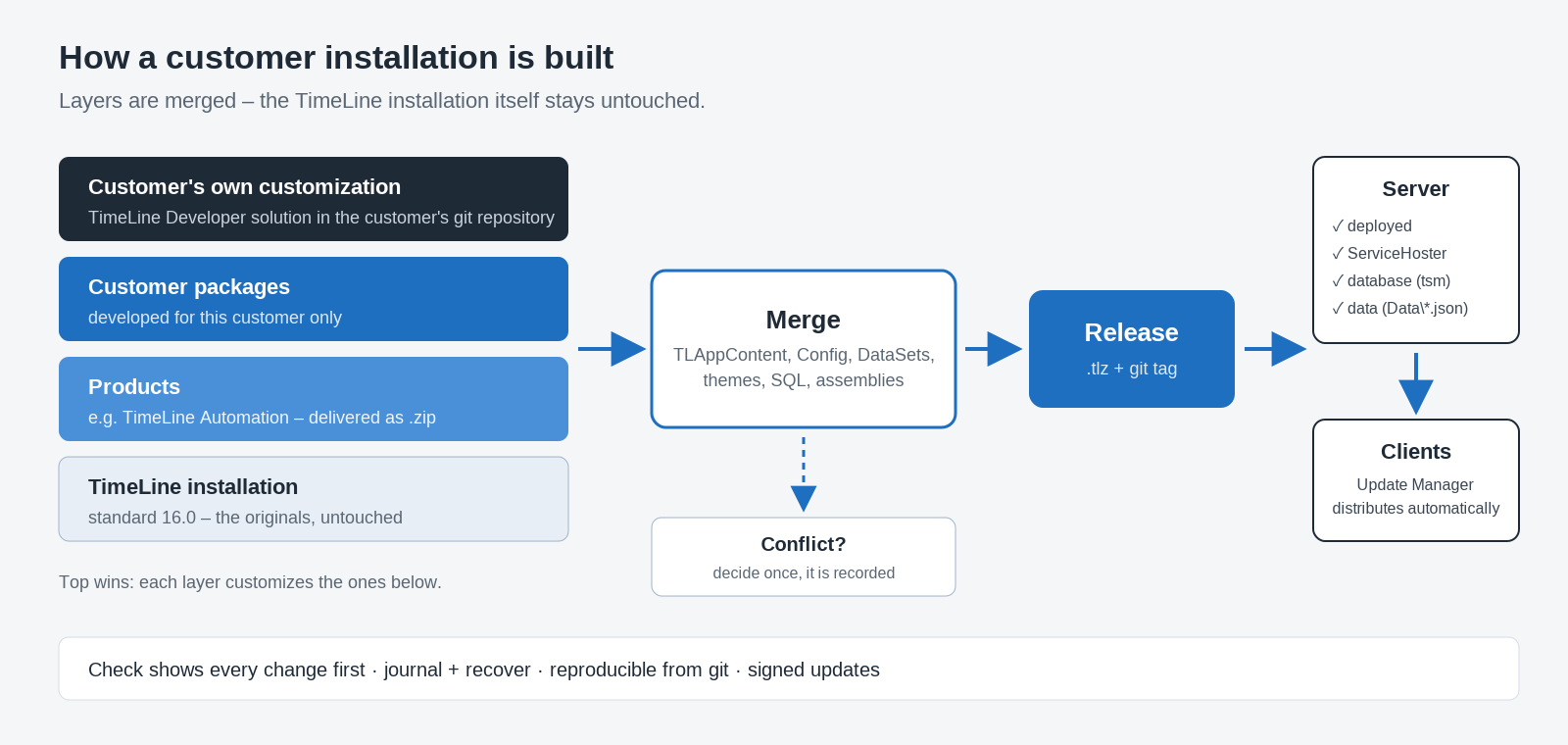
Layers in, one release out.
The TimeLine installation stays untouched. Products, customer packages and the customer's own customization lie on top of it – the upper layer wins. The Customization Manager merges them into one versioned release and brings it to server and clients with TimeLine's own tools.
What it does.
Layer by layer
TimeLine installation, products, customer packages and the customer's customization – the installation itself is never changed.
Understands TimeLine
TLAppContent entries, Config and DataSets three-way, themes, SQL update scripts and the classes of the customization assemblies.
Decided once
The decision is recorded in the project; every later release decides the same way.
Reproducible
One .tlz file per release, tied to its git commit and rebuildable at any time.
TimeLine Developer as usual
Every build merges the project, the client runs on the result, and what the designers save goes back into the right source.
Data files
Reference data a package needs, such as automation scripts, ships as table rows and is applied per mandant.
Five steps, one window.
The manager guides you from the project to the running installation. Everything is also available on the command line (tlcustom.exe) for scripts and build servers.
Project
customization.json in the customer's git repository.
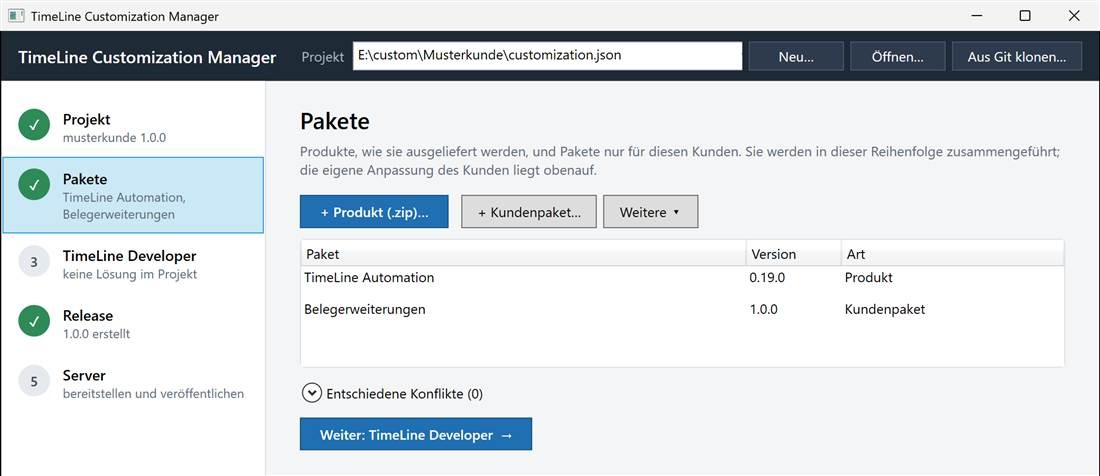
Packages
Products as delivered, packages for this customer.
TimeLine Developer
Develop and run on the merged result.
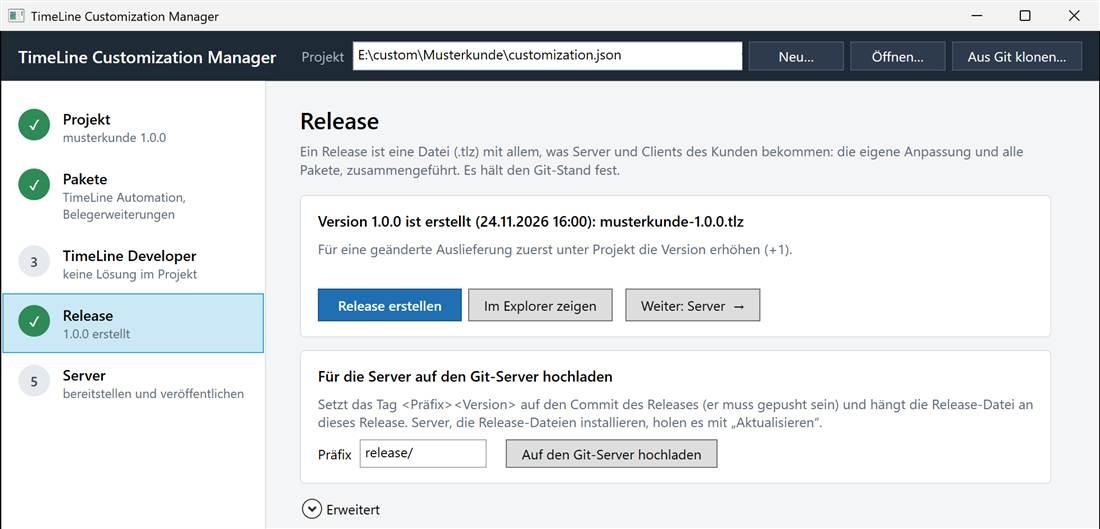
Release
One .tlz file, tied to its git commit.
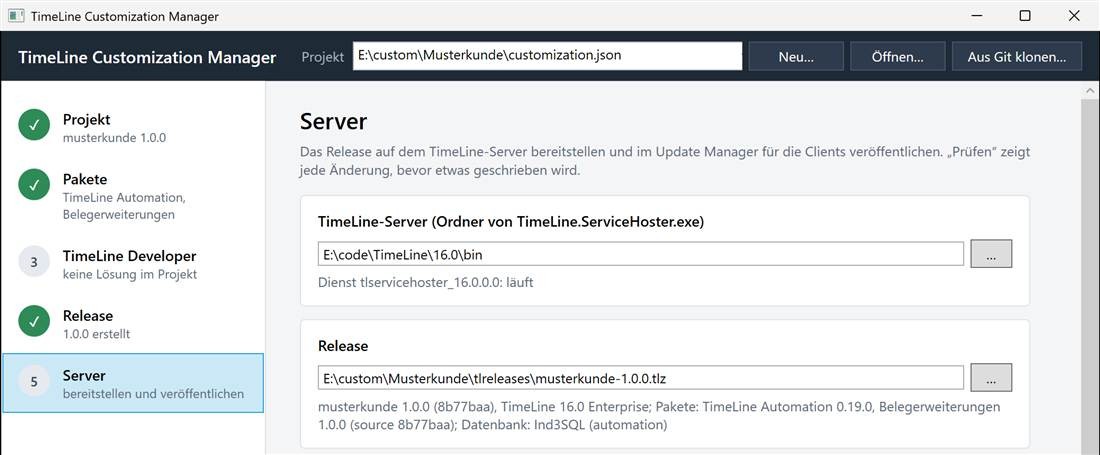
Server
Deploy, update the database, publish to the clients.
Safe in operation.
Check first
Every change – files, database scripts, data rows – is shown before anything is written.
Recoverable
Deployment runs with a journal; an interrupted deployment can be recovered.
TimeLine's own tools
Database updates through tsm, services through the ServiceHoster, clients through the Update Manager.
Server programs included
Worker programs and ServiceHoster services of the packages are deployed together with the release.
Updates from git
Servers fetch new releases by their tag from the git server.
Signed updates
The manager keeps itself up to date with signed setups.
Built for TimeLine teams.
Maintain customizations
For one customer or many – every installation from its own project.
Deliver products
Add-ons for TimeLine 16.0 as packages that merge cleanly with every customer.
Update without fear
TimeLine updates without losing a single customization.
Let's talk.
We will gladly show you the Customization Manager with your own customization and help move an existing TimeLine Developer customization into a project.

