Digital signature with signotec.
Sign TimeLine documents on a signotec pad or on the screen – biometrics bound to the document, the PDF signed and archived.
Delivery notes, handover reports, service reports: many TimeLine documents still need a handwritten signature, and with it printing, signing, scanning and filing. With signotec signature pads your customers and staff sign right in TimeLine's report dialog. The signature, the signer's biometrics and the document are joined in one signed PDF that TimeLine archives in place of the unsigned one.
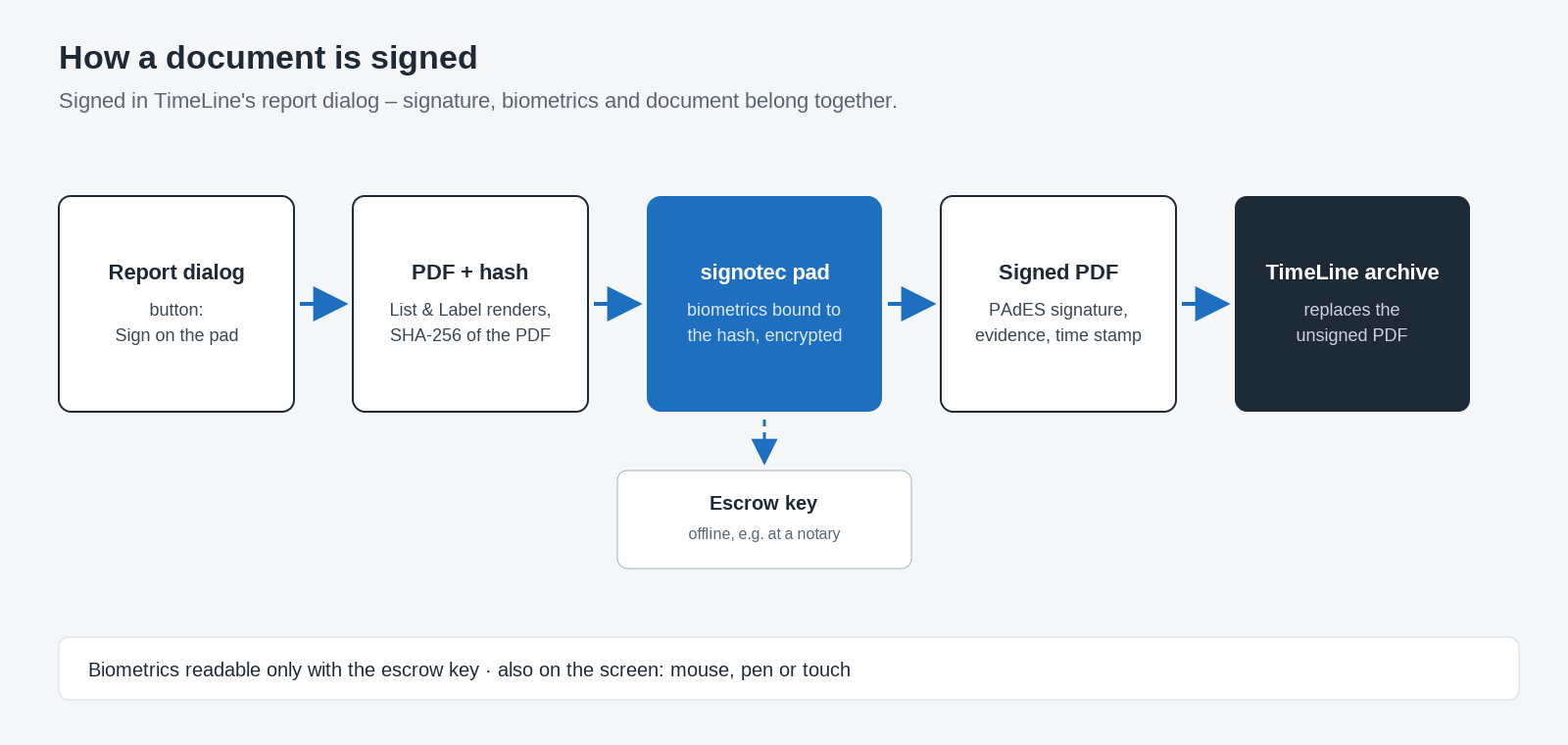
From the report dialog to the signed PDF.
TimeLine renders the document as PDF and computes its fingerprint. The pad binds the biometrics to exactly this document before anyone signs, encrypts them and signs with its own key. The result is a signed PDF with the evidence inside – filed in the TimeLine archive.
What it does.
One button more
TimeLine's report dialog gets a button to sign on the pad – for every report, without changing the layouts.
Where signing happens
signotec LCD pads, or the screen with mouse, pen or touch; in auto mode the pad when one is connected.
More than an image
Position, pressure and timing of every stroke are recorded and bound to this very document.
A real PDF signature
The PDF carries a PAdES signature that PDF readers can verify, optionally with a time stamp.
A readable signature block
Signature, signer, certificate, reason, place and date as PDF text – or as a stamp image, or the ink alone.
Filed automatically
The signed PDF goes into the TimeLine archive in place of the unsigned one; nothing is scanned or filed by hand.
Signed in five steps.
For the person at the counter or on site it is one click and one signature; everything else happens in the background.
Open
Open the document's report dialog as usual.
Render
TimeLine creates the PDF and its fingerprint.
Sign
On the pad or the screen: OK, retry or cancel.
Seal
Evidence attached, PDF signed, time stamp if set up.
Archive
The signed PDF replaces the unsigned one.
Built to hold up.
Bound before signing
The pad receives the document's fingerprint before the signature starts, so the biometrics cannot be moved to another document.
Readable only by the escrow
The biometrics are encrypted for an escrow certificate; its private key stays offline, for example with a notary.
Signed by the pad
Pads with their own key sign the PDF themselves; for others and for the screen a certificate of your company does.
Evidence inside the PDF
Fingerprint, device, encrypted biometrics and the pad's signature travel with the document.
In the signer's language
Signature block and capture window use TimeLine's translations for the signing user.
A TimeLine package
Installed with the TimeLine Customization Manager; it works on top of a customer's own report dialog.
Where a signature is needed.
Delivery notes and handovers
Signed at goods issue or on delivery, archived with the document at once.
Work and service reports
The customer confirms the work on site; the report is in TimeLine before the technician leaves.
Contracts and confirmations
Order confirmations and agreements signed at the counter, without paper.
Let's talk.
We will gladly show you signing with signotec in TimeLine and help you choose pads and set up the certificates.

