TimeLine AI workflows.
Workflow-Designer templates drafted, checked and deployed by AI through TimeLine's MCP server – and connected with server automations.
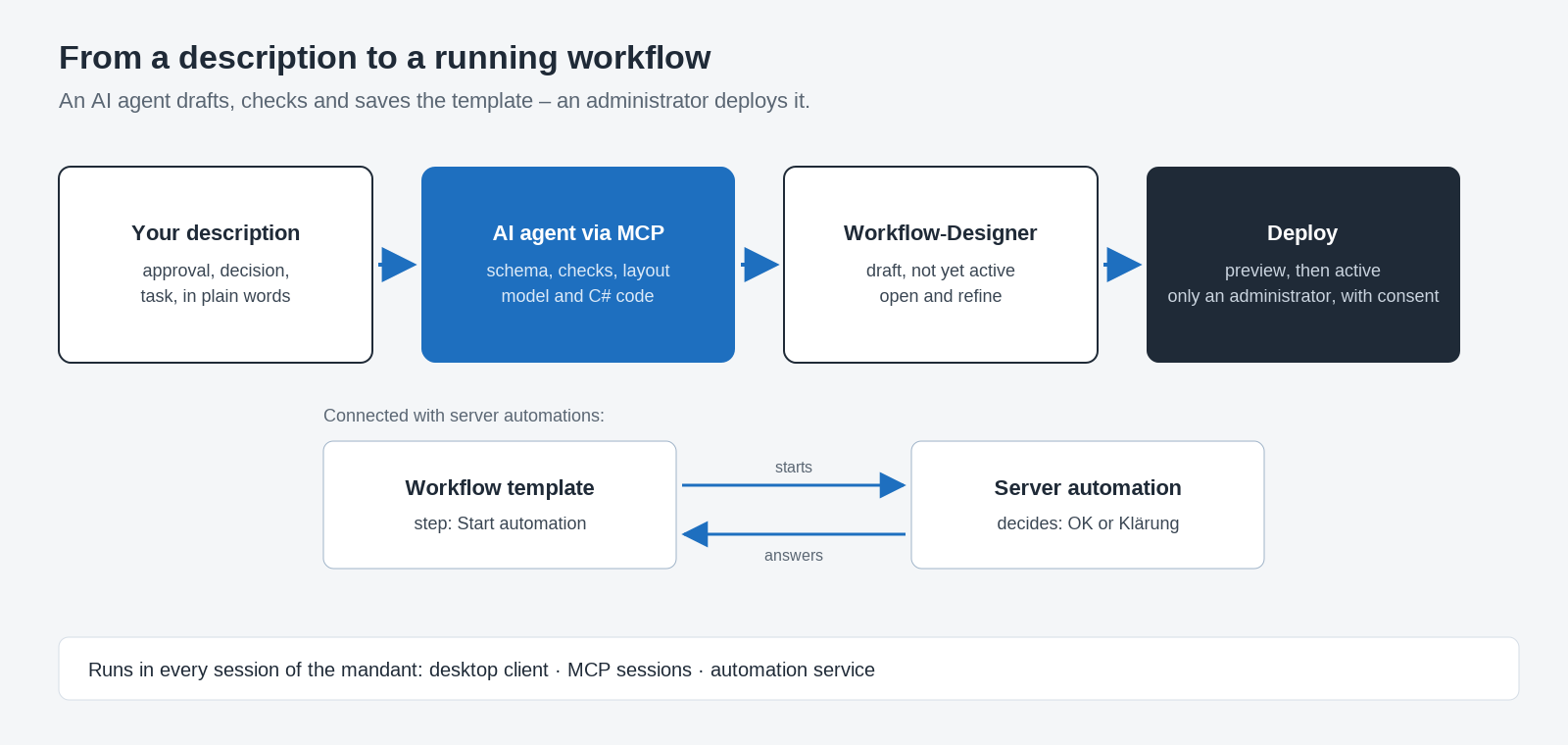
TimeLine's Workflow-Designer models approvals, decisions and tasks around documents and articles. Building a template takes knowledge of its model and its C# code. With TimeLine's MCP server an AI agent does that work: you describe the process in your own words, the agent drafts the template, checks it, lays out the diagram and saves it as a draft you open in the Workflow-Designer. It goes live only when an administrator deploys it.
Described, drafted, checked, deployed.
The agent works with the same rules as the Workflow-Designer: it reads the template schema, checks model and code before saving, and compiles them together with every deployed template. Templates and server automations work in both directions – a workflow starts an automation, the automation answers its decision.
What it does.
Words instead of a diagram
Approval, decision, task, status change: the agent turns your description into nodes, links and C# code.
Checked before saving
Model rules, known run-time traps and a compile run with all deployed templates – before anything is saved.
A tidy diagram
The agent lays out the nodes, so the template reads well when you open it in the Workflow-Designer.
Refine in the Workflow-Designer
The agent saves an inactive template or a draft beside the active one; you continue in the Workflow-Designer as usual.
Deploy with a preview
A card shows what goes live; if the compile fails, the template stays as it was.
Active in every session
Within about 30 seconds a deployed template runs in the desktop clients, the MCP sessions and the automation service.
From the idea to the active template.
Every writing step shows a preview first and needs your explicit consent.
Describe
Tell the agent what should happen when.
Draft
Model and C# code, built on the schema.
Check
Rules, traps, compile with all templates.
Save
As a draft, visible in the Workflow-Designer.
Deploy & test
Card, deploy, try it on a test record.
Workflows and automations together.
Checks that must stop a save belong in the workflow; work that writes, sends or calls other systems belongs in a server automation.
A workflow starts an automation
The step “Automation starten” queues a server run with the document – together with the save, so a failed save starts nothing.
The automation decides back
The automation continues the waiting decision with OK; anything it cannot settle lands as “Klärung” in someone's task list.
Decisions and tasks at hand
Infocenter widgets show open decisions and tasks; an AI assistant connected via MCP lists them and closes tasks.
Under control.
Only administrators
Reading, checking, saving and deploying templates through MCP is reserved for administrators.
Preview first
Save and deploy each show a preview and run only after explicit consent.
Drafts change nothing
A saved draft runs nowhere until it is deployed; the active template keeps working meanwhile.
Let's talk.
We will gladly show you AI workflows on one of your own processes and help with setup and fine-tuning.

